We run our Vega Discover page on our OPACs inside of Public Web Browser (PWB) kiosk software. We have it timing out and resetting after a couple minutes, so folks don’t leave their Vega page logged in for the next user.
However, every time the browser resets, the cookies message reappears, and patrons think they cannot use the ILS because it grays out the whole page.
We are using Chrome with, as mentioned, PWB on top of it. PWB only controls the timing of the browser, not its internal settings for particular pages. In Chrome Settings I tried to allow all cookies for wdmpl.na5.iiivega.com and catalog.wdmlibrary.org but it made no difference - the cookies popup still appears and grays out the page.
It looks like the cookies are further controlled by other settings in Vega? This comes up if you click “Manage cookie preferences” when that gray bar pops up:
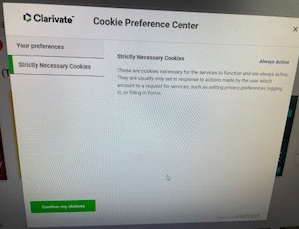
If we Confirm the choice for Strictly Necessary Cookies, it doesn’t make any difference. No other options are given. The cookies message comes back.
I tried searching in the Supportal under Vega Discover for options, but didn’t see any.
For other libraries using OPAC stations of any kind - how do you manage this? **Can this be turned off any other way? **
Thank you!