I haven’t posted here before. I am The Associate Director for Collections Management at the Pratt Institute Libraries and we are currently attempting to implement OCLC’s Record Manager to facilitate offsite cataloging. We have been using Connexion for years and have had no trouble exporting records to our hosted instance of Sierra ILS. Has anyone here ever tried to use OCLC Record Manager to export records to their hosted Sierra ILS? If you have been successful how did you get it to work? We have been going back and forth with both Clarivate and OCLC for a number of weeks and have been unable to resolve the issue. What we are getting is a “Server communication failed” error when exporting records or adding them to an export list.
Curious to hear if anyone has successfully implement this.
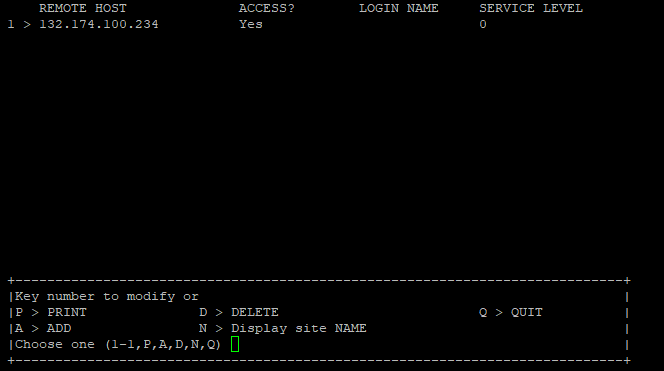
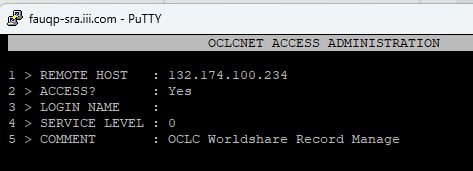
This is Heather Carbeno from Saginaw Valley State University. We encountered this issue in January of 2024. At that time we needed our Sierra Host to accept the OCLC IP address (132.174.100.234). I hope this works for you!
Hello @hillaker. Did you configure the IP in the Limit Network Access tables in Admin Corner, or was it an IP/port Clarivate [also] had to open in their data center firewall?
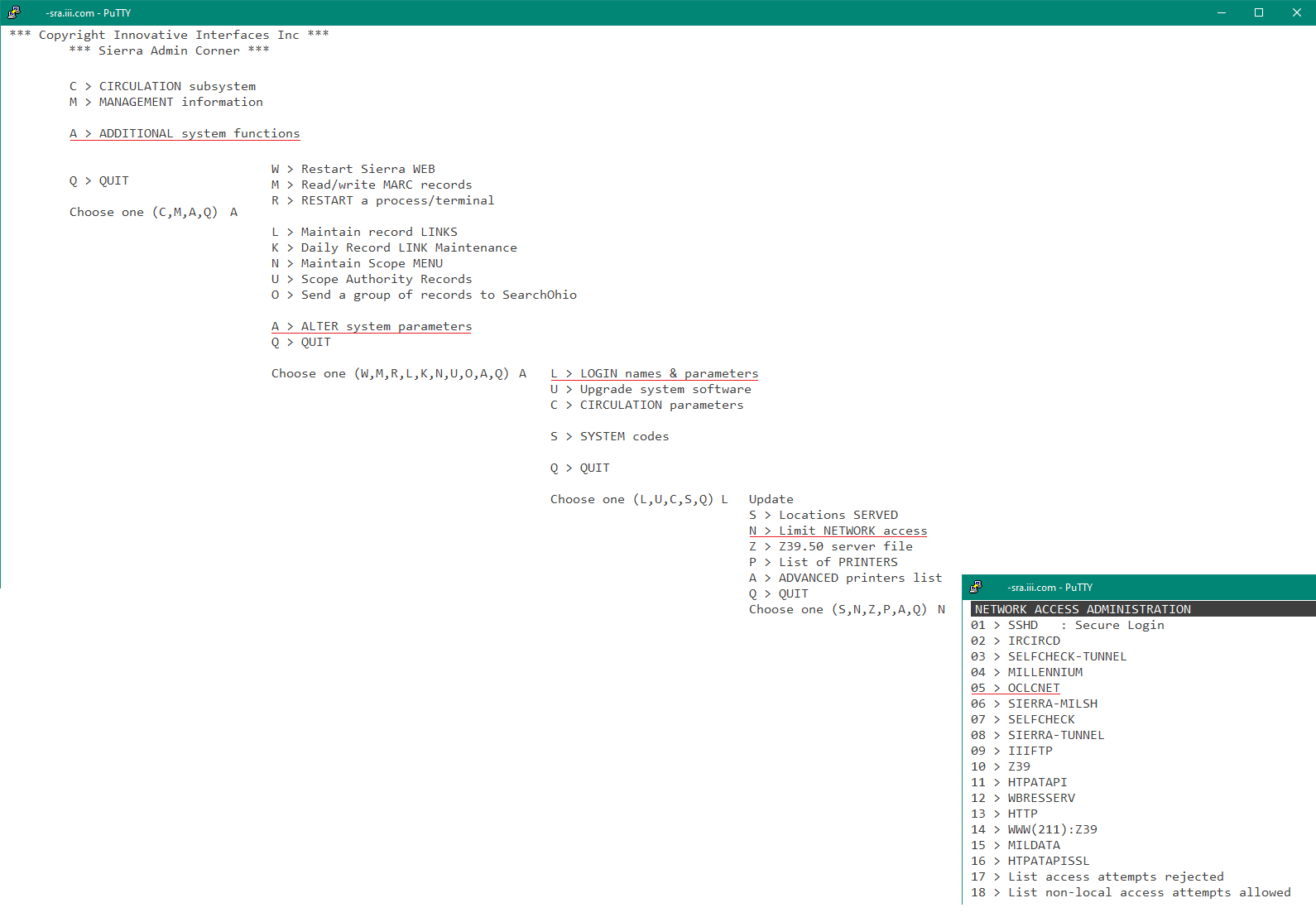
It looks like that same IP is in our LIMIT network access > OCLCNET Access Administration. I don’t remember the details, the ticket information is no longer available post-new system (I see one that came over from 2022 for “OCLC Connexion IP Address Update,” not sure if that is related. Our catalogers primarily use Worldshare Record Manager, just not sure if they’ve been doing so since 2022 or was it later. I will see if our staff remembers any issues when we originally switched over.
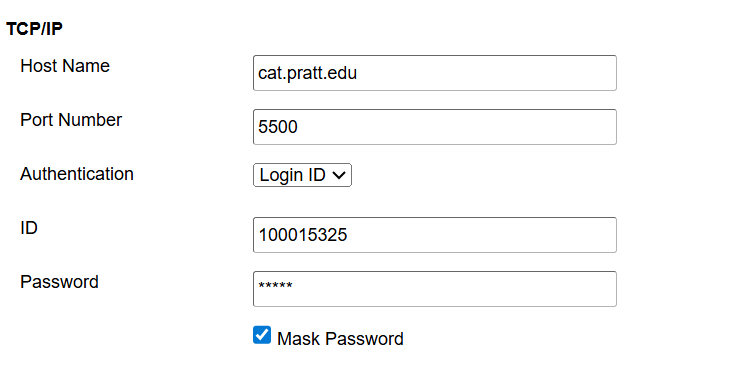
Thanks all. Supposedly Clarivate greenlighted that IP range but it still isn’t working. I am curious on your TCP/IP preferences in Record Manager do you inclue the Login ID? And do you use the same authentication info as you use in Connexion? That’s what we’ve been doing.
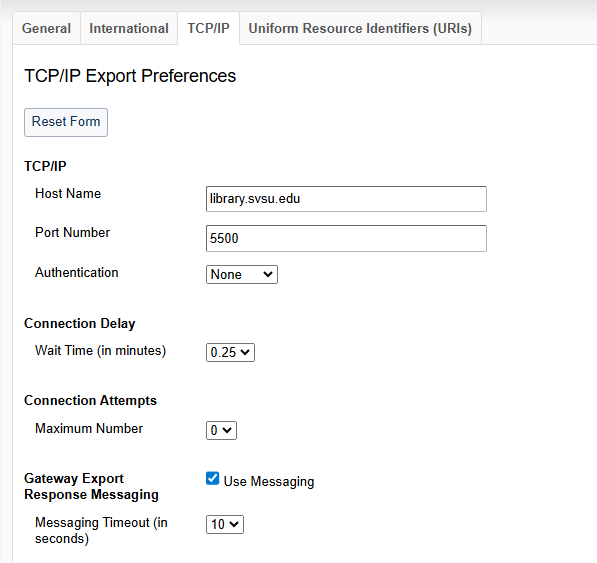
Hi Johanna. We do not use the Authentication. We ended up doing a call with Clarivate Support in which they took remote control of my computer to see where the error was occurring.
Let me try this again. For some reason, when I sent this earlier, it was cut off after the first sentence. I did have a screenshot, though, so might be why.
This is amazing. Thank you Bob! I was able to locate it. Does this look right? The number is correct but I wonder if there’s anything else that needs to be adjusted.
Hmmm. We also don’t use WorldShare but are trying to use record manager for remote cataloging. Is that the same for you? Maybe I will try adding in the Login name.
Sorry for the confusing-looking string of deleted posts above. My replies to Johanna were showing up duplicated (to me, anyway), so I deleted a post which deleted all “copies” of my reply. I let Johanna know that our OCLCNET entry has a partially wildcarded IP and uses the login name of “oclcnet”.
Athabasca University Library also encountered this issue back in March 2025.
Our settings look exactly like Heather’s screenshot posted previously, other than our library’s info in the hostname.
In the end, it was something Innovative/Sierra’s Cloud Services team did that fixed the issue for us. I’m unsure exactly what they did though. They didn’t specify. But here are the things Sierra/Innovative tried over the course of a couple weeks to try to troubleshoot this issue for us:
Made Port 5500 incoming and outgoing open to 132.174.100.234
Rep. commented that there are usually 2 places to add that IP: at the Hosted Services level and at LAN table level
Made another change to LAN table, explicitly listing 132.174.100.234
Cloud Services opened 132.174.0/16 per OCLC instructions, in addition to 132.174.100.234
Cloud Services added 132.174.0.0/16 to firewall rules
Cloud Services made another change to the firewall to make sure OCLC Worldshare is not blocked
Hope you get it figured out soon! It took about a month of back and forth with OCLC and Sierra/Innovative for a fix to finally be found for us.
Thanks! Forwarding this along to our systems folks to see if it will help. I changed the settings to look like Heather’s and still no luck. What a headache! It just doesn’t seem like it shoudl be this hard.