We recently ran into a performance issue that turned out to be SQL Server behavior that’s easy to miss. This document walks through what to look for, how to diagnose it, and practical fixes. This applies to self-hosted Polaris instances, but it could also happen for hosted customers, so if you have an unknown but extended slowdown, you might want to offer some of these suggestions to the cloud hosted team.
What happened was slow search results through PAPI, but we’ve also seen something very similar happen when we are performing an upgrade. In that case, the issue is with the PolarisTransactions database.
1. Query Store / Activity Monitor were high (we normally hover at 14% usage)
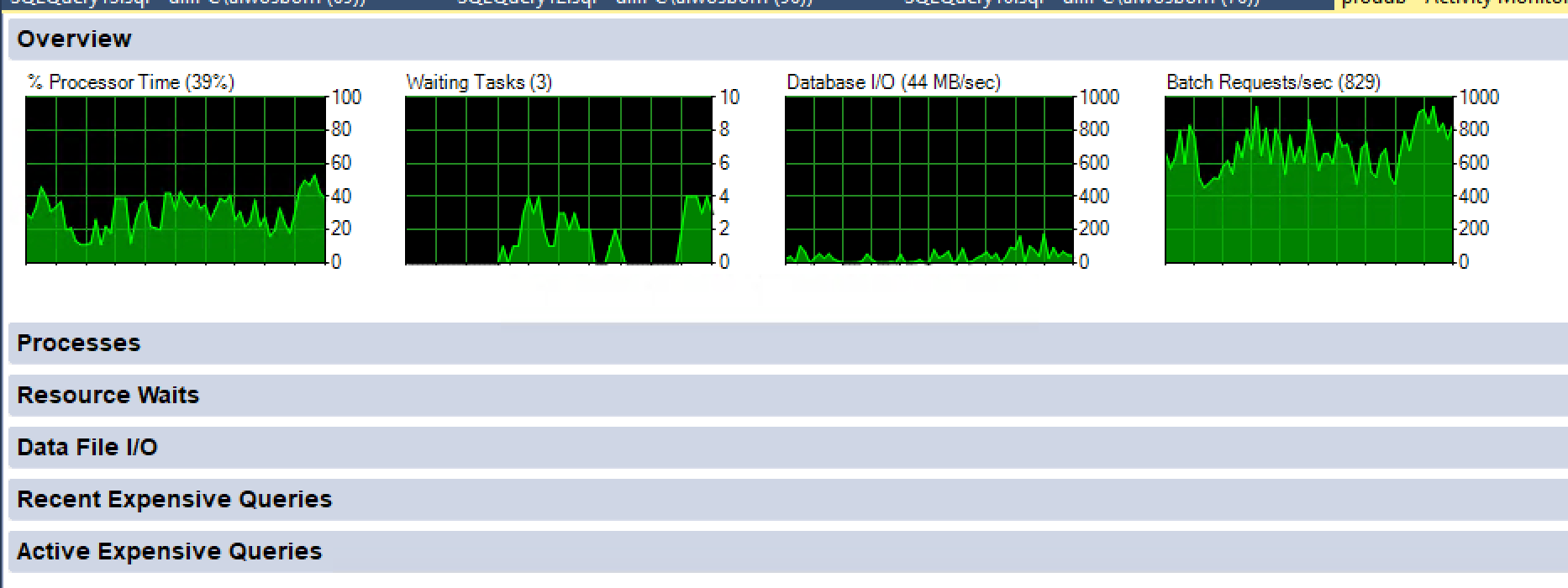
In Query Store or Activity Monitor → Top Resource Consumers, we saw:
- Very high total duration
- Only a few executions, but each running many minutes
- Query text including StatMan, MS_UPDSTATS_TBL, ORDER BY, OPTION (MAXDOP)
This was not application SQL code.
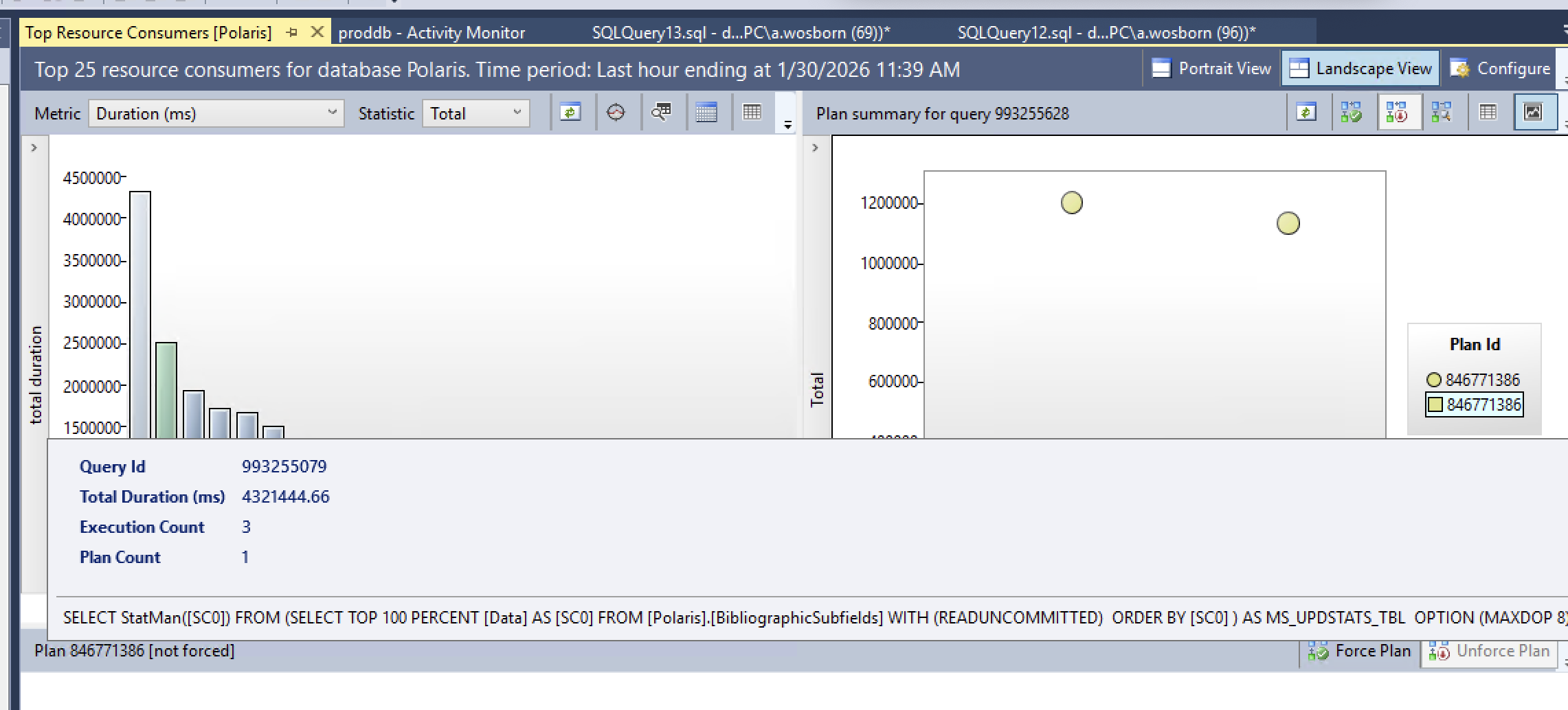
2. The query wasn’t from Polaris — SQL Server generated it
SQL Server was automatically updating column statistics using an internal query (StatMan).
3. Why it hurt so badly
- Table size: ~70 million rows (Bib Subfields in this particular instance)
- Data size: ~6+ GB
- Column involved was not indexed
- Auto-created statistics (_WA_Sys_*)
- Stats update sampled 100% of rows
- Parallel execution
Result: long-running, resource-intensive stats updates during business hours.
4. How we confirmed it
We checked table size, indexes, and statistics metadata using sp_spaceused, sp_helpindex, and sys.dm_db_stats_properties.
5. The important realization
Nothing was broken. SQL Server was doing what it’s designed to do — just at a bad time and scale.
6. Practical fixes
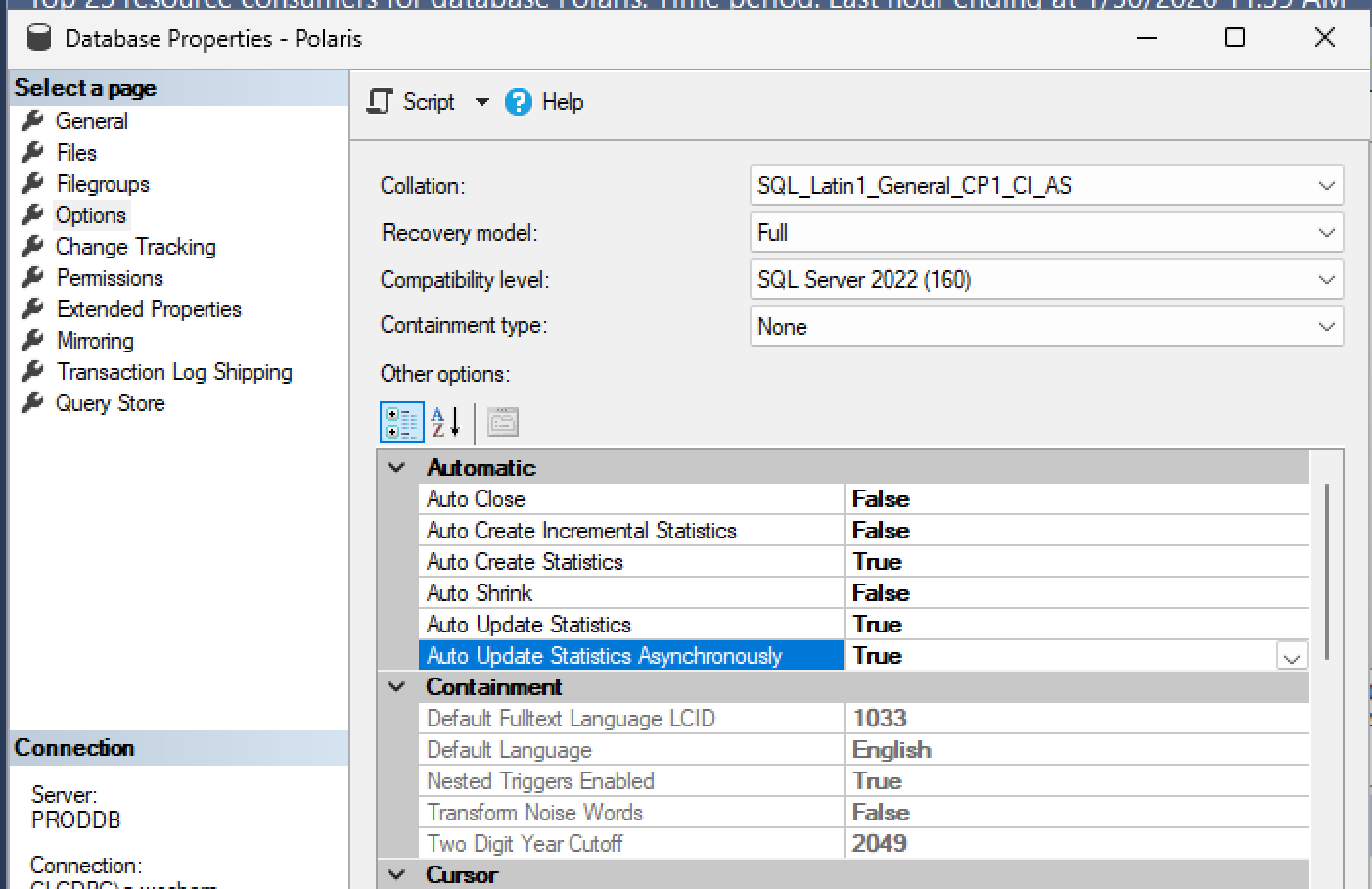
- Enable AUTO_UPDATE_STATISTICS_ASYNC on the database (Polaris or PolarisTransactions) this can be done in real-time and is a relatively benign change.
- Review maintenance jobs for FULLSCAN stats. If you schedule these scans to happen, they are less likely to get triggered through an Auto Update process in the middle of the day.
7. Takeaway
If you see StatMan dominating Query Store or Activity Monitor, it’s almost always statistics on a large table and a non-indexed column.