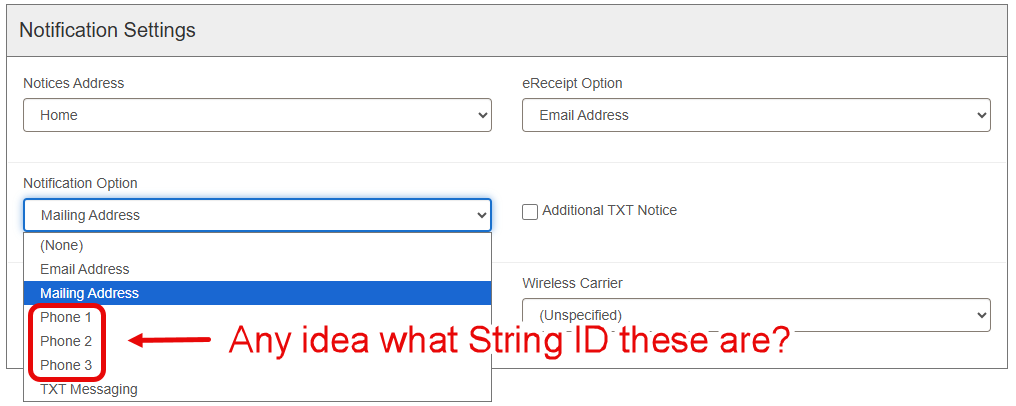
We don’t have an automated phone service for hold notifications, so we ended up using one of our UDFs to indicate which patrons need to be called for holds. This works out fine, but I keep finding staff that select “Phone 1” as the notification option instead of our “Call for holds?” UDF (or both, so from reason). I don’t believe there’s anyway to disable any of the notification options outright, so I wanted to change the language string for the dropdown menu to say something like “DO NOT USE” for those phone entries… but I’m having issues locating the Language String ID… Does anyone have an idea of where this might be?
Not to go on too far of a tangent, but I didn’t think using the Phone Notification option in the patron record required you to use an automated phone call system. In fact, I thought that was the purpose of the Hold Call Slip.
I would have loved to use the Hold Call Slip… but it printed out every available hold for a patron’s account every time a hold was made available… which for someone who requested 25+ picture books gets to be an inconvenience and a waste of paper… even if receipt paper is only ~$0.30 per roll… I’m not on team “reduce receipt length by 0.2” to save money!", but what we’re talking about here was egregious… I notated a bunch of receipt samples during our implementation and we just weren’t able to get what we wanted out of them… If anyone has ideas on how we could get a basic hold slip with pickup slip appended to it, separated by a partial tear, I’m all ears!
I not sure, but it seems like there is also a chance items wouldn’t be billed or declared lost if patrons had their notification preference set to “Phone 1”, since the automated messaging isn’t set up/delivered…
I think the way our members handle these situations is by putting three dashes --- in the last name so they become more visible that way.
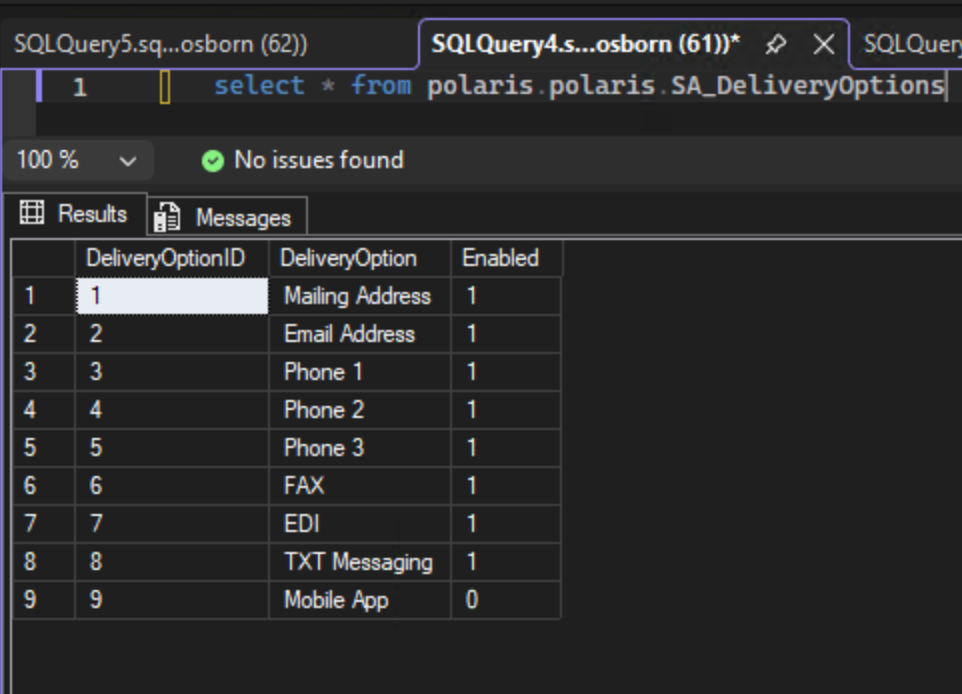
But, back to your original inquiry, I’m NOT suggesting you change these this way, but my guess is you’re not seeing them in the language editor because they come from a database table. select * from polaris.polaris.SA_DeliveryOptions
Changing those could break things in subtle ways or… everything might be OK.
Thanks for digging into that @wesochuck ! We’re SaaS Hosted, so I couldn’t change those database entries even if I wanted to… A shame (and slightly bewildering) that they’re not surfaced in the Language Editor… Oh, well… Thanks again!
My guess is that is because they’ve been there for 25+ years, and refactoring into language strings would be a messy process.
Not saying it is impossible or they won’t do it; in fact, I think they’re doing more internalization in 8.1, but it is probably a delicate area of the system. So, if you have already double checking with a support ticket, it is probably a good idea.
Hi @Phil, we had a similar issue to you and were also told that the strings are not available in the language editor individually. We were in a position where we had one old phone notification system that required phone numbers to be formatted one way and one old email-to-SMS notification system that required a different format. We wrote stored procedures to correctly reformat anything in the Phone 1 field for phone calls and anything in Phone 3 for text messaging, and tried to train staff to use Phone 1 for phone calls and Phone 3 for text messaging. We wanted to rename Phone 3 “Text Messaging Phone” to make it easier for staff to remember. When I couldn’t find the language string, I opened a Support ticket and they told me that there is a language string for the term “phone” that appears in Phone 1, Phone 2, and Phone 3, but no separate language strings for each option in the dropdown menu.
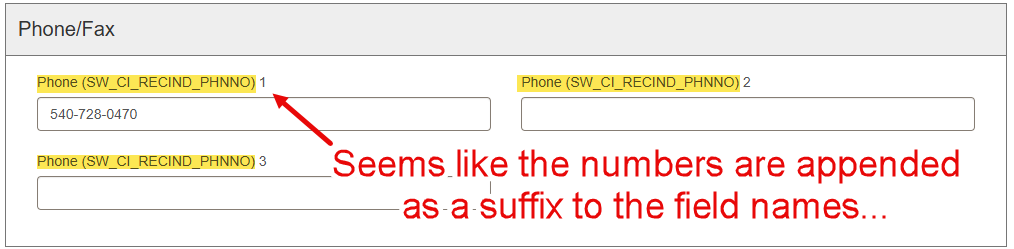
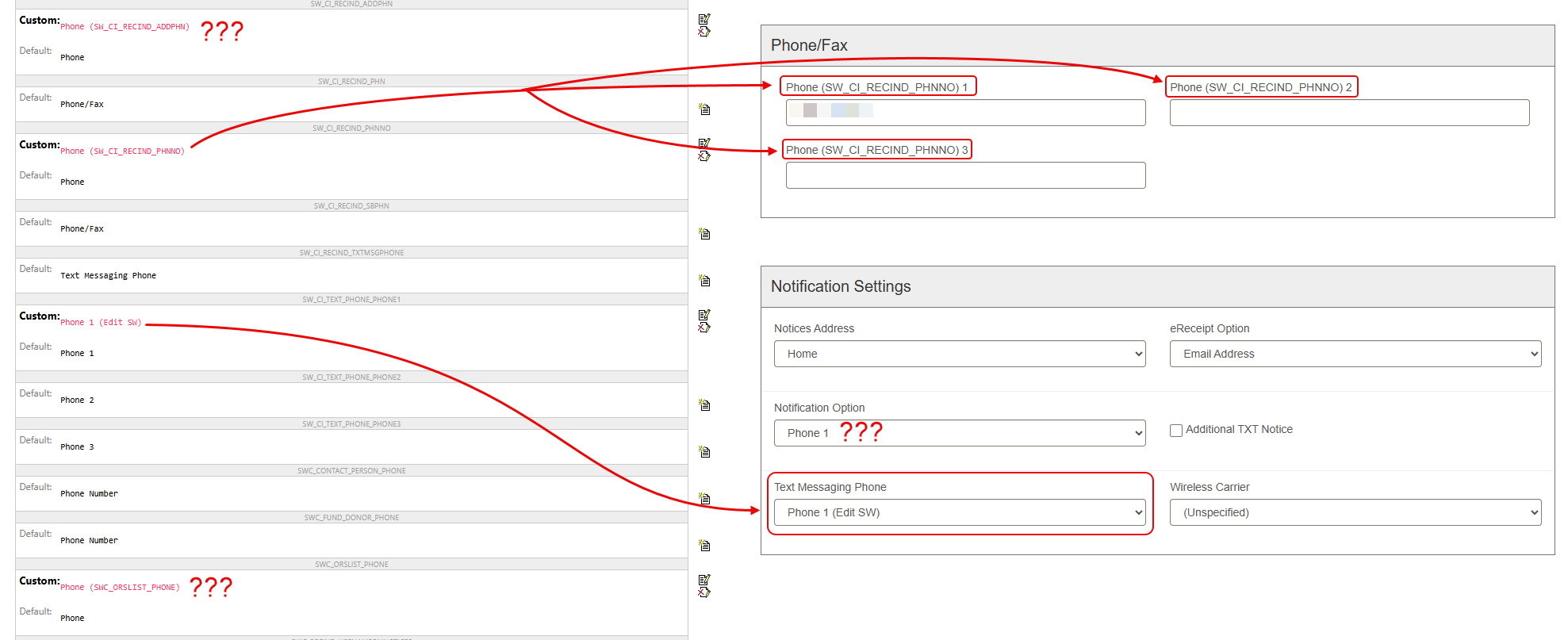
That tracks with what I was seeing as I dug into the language strings… I found some “Phone” strings that were clearly being appended with a number to create the three notification options, but I still haven’t been able to effectively alter the notification dropdown on our Training server… Fortunately, I don’t have to juggle the need for unique texts for each of our phone fields (my condolences for your situation though…) so long as the string changes would only affect the notification option dropdown for staff… However I’m still having trouble identifying the shared string:
This is still a pretty odd design choice, unless they thought they were going to support the addition of additional phone numbers in the same way we add additional addresses… but even then, the Text Messaging language strings suggest they pivoted away from that idea… Anyway, I found one more string in the Polaris Database stings that I’m trying out… if it does work, it seems like it’s going to be an overnight thing, but I’m skeptical…