Hopefully I’m posting this in the right place. Wondering if someone could offer recommendations on how to add an entry to the SCAT table?
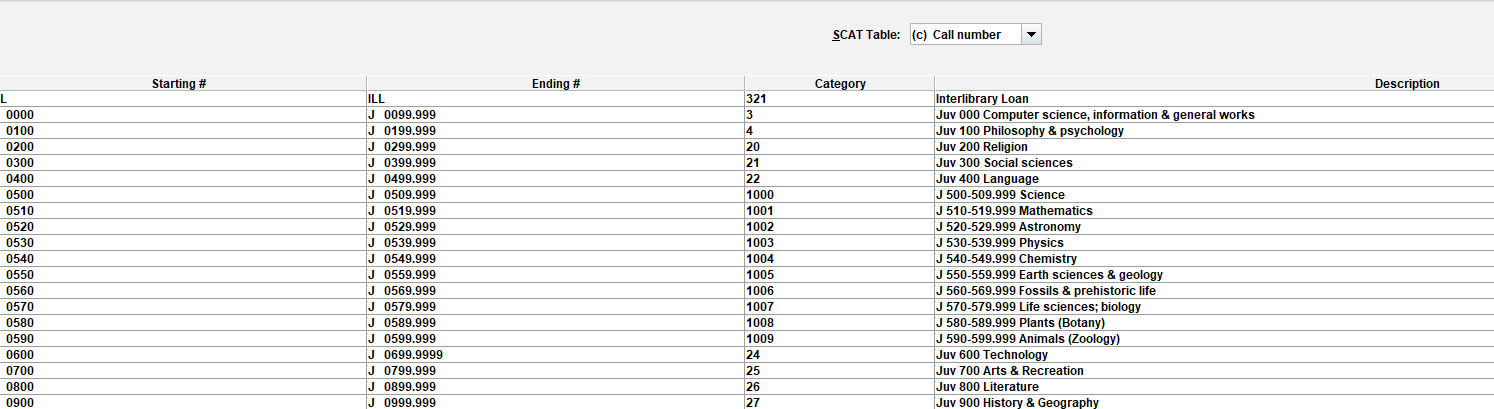
My law library uses LC, and I noticed that call numbers for Wisconsin titles (KFW2400-2999) are not in our SCAT table. Can I add this range between 136 and 137, or would doing so disrupt some sort of continuity in the numbering / create duplicate categories? See table below:
You can add an entry for KFW 2400 – FKW 2999, but the category won’t fall between 136-137 (there is no between). You need an unused category. If you sort your table by starting it will show up in order, but if you sort by category, you may see entries added after it was originally set up (and no room built in to expand categories in numerical order). I had to update our SCAT a few years ago and ran into this when our youth service department wanted more of a breakdown than what was originally set up (the 500s specifically)…
Thank you, Alison! Yes, sorting by category vs. starting # does look very different. If my table ends at 150, may I simply enter 151 to create the new, unused category? Hope I understood you correctly.
PS – I heard that the Group call numbers function would be integrated into the SDA starting with version 6.6 which we are upgrading to next week!
Yes, you can have up to 9,999 categories, so you have many more to fill up.
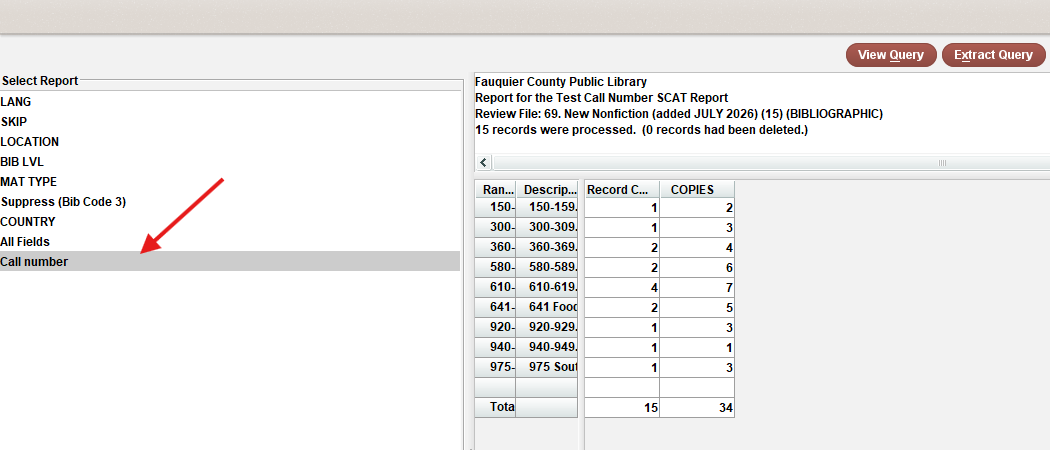
Once you add the category and update any records that you are assigning this new call number range to, make sure to use the Statistics reports to see if you have any that are not in the table. I think I usually just run a list (Create Lists) of records with call numbers between X and Y, then go to Statistics and run a report on the review file, bibs and do field statistics. Then I look at the Call number tab to make sure nothing is Error or No Call Number or not in SCAT…
After I run the stats, I also have to remind myself to go to an empty review file, go to Copy and see if there are any reports of something not being in the SCAT (I think this shows up after you run Statistics, which I just did to test this?). Then fix the error in the record(s). See Sierra - Creating Reports (Reports on Call Numbers)
I’m on 6.6, I guess it seems like I’ve had this option to access via the SDA for a long time. Looking back to when I did beta testing, that was only in March.