Greetings!
For anyone fortunate enough not to know this already, Polaris doesn’t store patron library card number changes in any meaningful way, except when you use the Merge function on the Patron Registration. There are, however, lots of situations where that data is helpful. A good example of this is proactively merging patron OverDrive accounts so that people don’t lose their position in the hold queue. While you can’t get this data directly from the Transactions database, I did find a way to leverage the offline patron data, which is generated daily ~5:00am for typical installations, to report out patron barcode changes that day. I’m attaching a SQL query and a completed .rdl file you can load into SSRS, so that you can schedule results for delivery.
Monitor Patron Barcode Changes.sql (4.0 KB)
Daily Patron Barcode Changes.rdl (41.8 KB)
Here’s a quick preview of the SQL output as well:
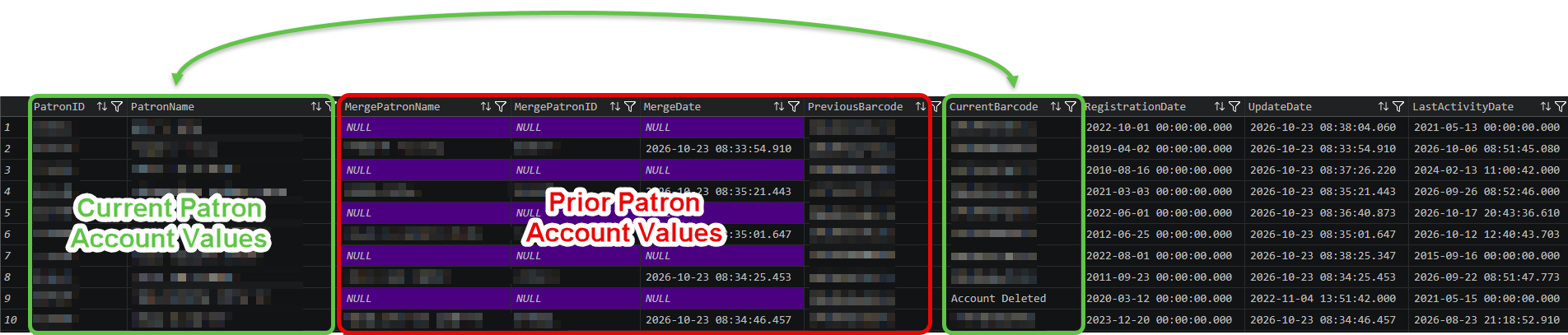
I tried to organize things in such a way that it relatively intuitive to compare previous and current barcodes and spot check names for merged accounts. This also happens to surface deleted patron accounts, so I made sure those were notated clearly in the “CurrentBarcode” column.
I might further recommend collecting daily report attachments in a folder and using Power Query to compile a complete list of patron barcode changes that you can refer to, but there’s nothing wrong with looking at the output once and being done with it. If you’re asking yourself “What’s Power Query?” and would like to know more, just let me know 
If you’re curious about the inner workings of the query, it should be annotated clearly, but please let me know if you have questions or notice anything that might need to be changed.
Thanks!
Phil Agnew